WITAN

Witan Exec · Render · Calc · Lint · Alternatives · Pricing · Agent Skills · Install Witan

---

# Witan Exec — Code Mode for Spreadsheets

One tool to read, write, verify, and search any workbook.

    $ witan xlsx exec report.xlsx --code '
      const result = await xlsx.setCells(wb, [
        { address: "Summary!B5", formula: "=SUM(Revenue!B2:B13)" }
      ])
      const lint = await xlsx.lint(wb, { rangeAddresses: ["Summary!A1:C10"] })
      return { touched: result.touched, errors: result.errors, warnings: lint.total }
    '
    {"ok":true,"result":{"touched":{"Summary!B5":"$1,250,000","Summary!B6":"$187,500","Summary!B10":"$3,750,000"},"errors":[],"warnings":0},"writes_detected":true}

Witan Exec replaces the currently Python scripting approach with a
purpose-built JavaScript runtime that talks directly to a high-fidelity
.NET spreadsheet engine. Currently your agent; writes Python, runs,
reads the file back, writes more Python, and repeats, only ever
approximating the spreadsheet with Python objects. Instead, Witan Exec
enables your agent to write one script that reads, writes, recalculates,
lints, and renders — all in a single execution, with results returned
as structured JSON.

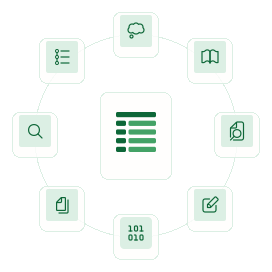
## Four engines in one tool

Witan Exec comes with all the tools you need in a single entry point.

### The Edit Engine

Purpose-built methods for browsing and modifying workbooks,
designed for agents rather than humans.

Reading & Discovery:

Discover table structure automatically, then read by semantic label instead of hardcoded cell addresses.

    readCell, readRange, readRow, readColumn
    readRangeTsv, readRowTsv, readColumnTsv    // token-efficient TSV output
    findCells, findRows                          // text/regex/number search
    detectTables, tableLookup                    // automatic table detection
    getUsedRange, listSheets, listDefinedNames

Writing & Structure:

    setCells                                     // values, formulas, formats
    insertRowAfter, deleteRows
    insertColumnAfter, deleteColumns
    addSheet, deleteSheet, renameSheet

Dependency Tracing:

Trace which inputs drive a bottom-line number, or find every formula that would break if you changed a cell.

    getCellPrecedents, getCellDependents
    traceToInputs, traceToOutputs

Formula Testing:

Test what a formula would return without writing it to the workbook.

    evaluateFormula, evaluateFormulas             // test without writing

Styling:

    getStyle, setStyle
    getSheetProperties, setSheetProperties

This is a custom JavaScript library backed by a .NET RPC server —
combining the best language for agent scripting with the best
runtime for xlsx/xml fidelity.

### The Rendering Engine

    await xlsx.previewStyles(wb, "Sheet1!A1:F20")

Generate PNG screenshots of any cell range, directly in code.

### The Formula Engine

    const result = await xlsx.setCells(wb, [
      { address: "Sheet1!B5", formula: "=SUM(B1:B4)" }
    ])
    print(result.errors)  // New formula errors, if any

Every write triggers automatic recalculation. Errors reported
immediately.

### The Linting Engine

    const diagnostics = await xlsx.lint(wb)
    print(diagnostics.filter(d => d.severity === "Warning"))

Run all 11 semantic rules against the workbook from within your
code.

## How it works

    $ witan xlsx exec report.xlsx --expr 'await xlsx.readCell(wb, "Summary!A1")'

Witan spins up a sandboxed JavaScript runtime with @witan/xlsx
pre-loaded. The workbook is available as the global `wb`. Your code
calls methods on the `xlsx` object with access to 30+ methods for
every spreadsheet operation. The result is returned as structured JSON.

## Example scenario

### Discover, look up, trace, test, write, and verify

    // 1. Discover the workbook's structure
    const tables = await xlsx.detectTables(wb)
    const summary = tables.find(t => t.tableName === "Summary")

    // 2. Look up a value by label, not by hardcoded cell address
    const revenue = await xlsx.tableLookup(wb, {
      table: summary.address,
      rowLabel: "Total Revenue",
      columnLabel: "Q4"
    })

    // 3. Check what depends on this cell before changing it
    const downstream = await xlsx.getCellDependents(wb, revenue.address, 3)
    print(`Updating ${revenue.address} will affect ${downstream.cells.length} cells`)

    // 4. Test a formula before writing it
    const preview = await xlsx.evaluateFormula(wb, "Summary",
      `=${revenue.address}*1.1`)

    // 5. Write the update
    const result = await xlsx.setCells(wb, [{
      address: revenue.address,
      formula: `=${revenue.address.replace("Q4","Q3")}*1.1`
    }])

    // 6. Verify — lint and screenshot
    const lint = await xlsx.lint(wb, { rangeAddresses: [summary.address] })
    await xlsx.previewStyles(wb, summary.address)

    return { updated: revenue.address, downstream: downstream.cells.length,
             warnings: lint.diagnostics }

One tool call. Discover structure, look up by label, check impact,
test a formula, write, lint, and screenshot — all in one execution.

## Access tracking

Every exec call returns an accesses array showing exactly which
cells were read and written:

    {
      "ok": true,
      "stdout": "...",
      "result": { ... },
      "writes_detected": true,
      "accesses": [
        { "operation": "read", "address": "Summary!B2:B10" },
        { "operation": "write", "address": "Summary!B5" },
        { "operation": "write", "address": "Summary!B6" }
      ]
    }

## CLI reference

    witan xlsx exec <file> [flags]

| Flag | Description | Default |
|------|-------------|---------|
| --code | Inline JavaScript source | — |
| --script | Path to a JavaScript file | — |
| --stdin | Read JavaScript from stdin | — |
| --expr | Expression shorthand (wrapped as return (<expr>);) | — |
| --input-json | JSON value passed as input to the script | {} |
| --timeout-ms | Execution timeout in milliseconds (max 90000) | 30000 |
| --max-output-chars | Maximum stdout characters to capture (max 50000) | 20000 |
| --save | Persist writes and overwrite local workbook | false |
| --json | Output full response envelope | false |

Exactly one of --code, --script, --stdin, or --expr is required.

## Output format

Success:

    {"ok":true,"stdout":"...","result":<json>,"writes_detected":<bool>,"accesses":[...]}

Failure:

    {"ok":false,"stdout":"...","error":{"type":"...","code":"...","message":"..."}}

## Usage examples

    # Quick cell lookup
    witan xlsx exec report.xlsx --expr 'await xlsx.readCell(wb, "Summary!A1")'

    # Run a script file with parameters
    witan xlsx exec report.xlsx --script ./analyze.js --input-json '{"threshold":10}'

    # Edit and save
    witan xlsx exec report.xlsx --save --code '
      await xlsx.setCells(wb, [{ address: "Sheet1!A1", value: "Updated" }])
      return { ok: true }
    '

    # Pipe from stdin
    cat analysis.js | witan xlsx exec report.xlsx --stdin

---

© Witan Labs Inc. 2026
hello@witanlabs.com · API Docs · GitHub · Research · Terms · Privacy
Witan Exec replaces the currently Python scripting approach with a purpose-built JavaScript runtime that talks directly to a high-fidelity .NET spreadsheet engine. Currently your agent; writes Python, runs, reads the file back, writes more Python, and repeats, only ever approximating the spreadsheet with Python objects. Instead, Witan Exec enables your agent to write one script that reads, writes, recalculates, lints, and renders — all in a single execution, with results returned as structured JSON.
Four engines in one tool
Witan Exec comes with all the tools you need in a single entry point.
Edit
Render
Calc
Lint
Generate PNG screenshots of any cell range, directly in code.
await xlsx.previewStyles(wb, "Sheet1!A1:F20")
Every write triggers automatic recalculation. Errors reported immediately.
const result = await xlsx.setCells(wb, [
  { address: "Sheet1!B5", formula: "=SUM(B1:B4)" }
])
print(result.errors)  // New formula errors, if any
Run all 11 semantic rules against the workbook from within your code.
const diagnostics = await xlsx.lint(wb)
print(diagnostics.filter(d => d.severity === "Warning"))
Purpose-built methods for browsing and modifying workbooks, designed for agents rather than humans.
Reading & Discovery
Discover table structure automatically, then read by semantic label instead of hardcoded cell addresses.
readCell, readRange, readRow, readColumn
readRangeTsv, readRowTsv, readColumnTsv    // token-efficient TSV output
findCells, findRows                          // text/regex/number search
detectTables, tableLookup                    // automatic table detection
getUsedRange, listSheets, listDefinedNames
Writing & Structure
setCells                                     // values, formulas, formats
insertRowAfter, deleteRows
insertColumnAfter, deleteColumns
addSheet, deleteSheet, renameSheet
Dependency Tracing
Trace which inputs drive a bottom-line number, or find every formula that would break if you changed a cell.
getCellPrecedents, getCellDependents
traceToInputs, traceToOutputs
Formula Testing
Test what a formula would return without writing it to the workbook.
evaluateFormula, evaluateFormulas // test without writingStyling
getStyle, setStyle
getSheetProperties, setSheetProperties
This is a custom JavaScript library backed by a .NET RPC server — combining the best language for agent scripting with the best runtime for xlsx/xml fidelity.
How it works
$ witan xlsx exec report.xlsx --expr 'await xlsx.readCell(wb, "Summary!A1")'Witan spins up a sandboxed JavaScript runtime with @witan/xlsx pre-loaded. The workbook is available as the global wb. Your code calls methods on the xlsx object with access to 30+ methods for every spreadsheet operation. The result is returned as structured JSON.
Example scenario
Discover, look up, trace, test, write, and verify
// 1. Discover the workbook's structure
const tables = await xlsx.detectTables(wb)
const summary = tables.find(t => t.tableName === "Summary")

// 2. Look up a value by label, not by hardcoded cell address
const revenue = await xlsx.tableLookup(wb, {
  table: summary.address,
  rowLabel: "Total Revenue",
  columnLabel: "Q4"
})

// 3. Check what depends on this cell before changing it
const downstream = await xlsx.getCellDependents(wb, revenue.address, 3)
print(`Updating ${revenue.address} will affect ${downstream.cells.length} cells`)

// 4. Test a formula before writing it
const preview = await xlsx.evaluateFormula(wb, "Summary",
  `=${revenue.address}*1.1`)

// 5. Write the update
const result = await xlsx.setCells(wb, [{
  address: revenue.address,
  formula: `=${revenue.address.replace("Q4","Q3")}*1.1`
}])

// 6. Verify — lint and screenshot
const lint = await xlsx.lint(wb, { rangeAddresses: [summary.address] })
await xlsx.previewStyles(wb, summary.address)

return { updated: revenue.address, downstream: downstream.cells.length,
         warnings: lint.diagnostics }
One tool call. Discover structure, look up by label, check impact, test a formula, write, lint, and screenshot — all in one execution.
Access tracking
Every exec call returns an accesses array showing exactly which cells were read and written:
{
  "ok": true,
  "stdout": "...",
  "result": { ... },
  "writes_detected": true,
  "accesses": [
    { "operation": "read", "address": "Summary!B2:B10" },
    { "operation": "write", "address": "Summary!B5" },
    { "operation": "write", "address": "Summary!B6" }
  ]
}
CLI reference
witan xlsx exec <file> [flags]
Flag
Description
Default
--codeInline JavaScript source
—
--scriptPath to a JavaScript file
—
--stdinRead JavaScript from stdin
—
--exprExpression shorthand (wrapped as return (<expr>);)
—
--input-jsonJSON value passed as input to the script
{}
--timeout-msExecution timeout in milliseconds (max 90000)
30000
--max-output-charsMaximum stdout characters to capture (max 50000)
20000
--savePersist writes and overwrite local workbook
false
--jsonOutput full response envelope
false
Exactly one of --code, --script, --stdin, or --expr is required.
Output format
Success:
{"ok":true,"stdout":"...","result":<json>,"writes_detected":<bool>,"accesses":[...]}Failure:
{"ok":false,"stdout":"...","error":{"type":"...","code":"...","message":"..."}}Usage examples
# Quick cell lookup
witan xlsx exec report.xlsx --expr 'await xlsx.readCell(wb, "Summary!A1")'

# Run a script file with parameters
witan xlsx exec report.xlsx --script ./analyze.js --input-json '{"threshold":10}'

# Edit and save
witan xlsx exec report.xlsx --save --code '
  await xlsx.setCells(wb, [{ address: "Sheet1!A1", value: "Updated" }])
  return { ok: true }
'

# Pipe from stdin
cat analysis.js | witan xlsx exec report.xlsx --stdin